Delete account
Warning
Deleting an account is permanent, and deleted accounts cannot be restored. To add a deleted account again, you must create it anew.
Note
You need admin rights to add, edit, or delete an account.
Proceed as follows to delete an account:
- ► Navigate to the List of User accounts area.
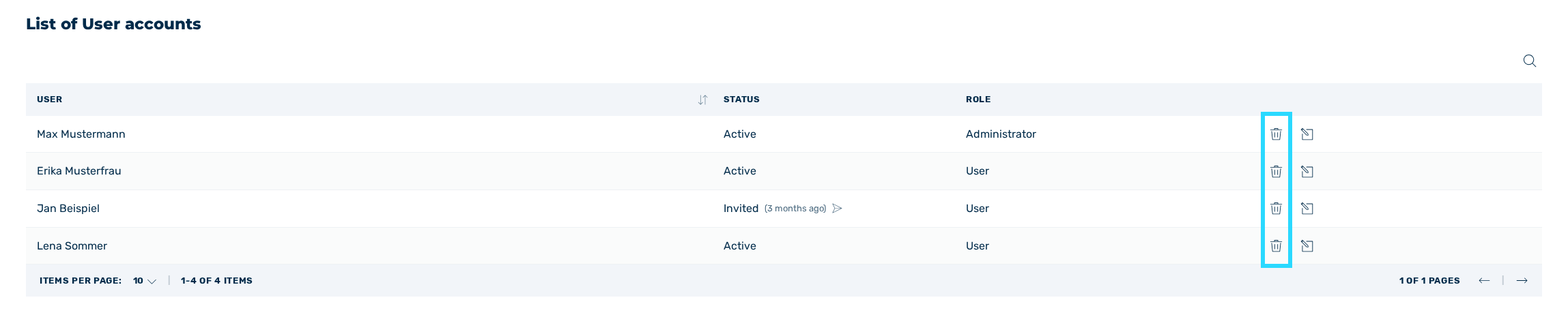
List of user accounts area
- ► In the Delete column, click on the
 icon.
icon. - ↳ The Remove company member dialog opens.
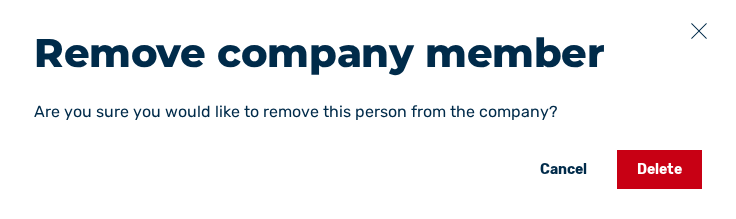
Remove company member dialog
- ► Click on the Delete button.
- ➔ A message confirms that the account has been deleted. The entry is no longer visible in the list of accounts.