Configuration via YAML
In addition to managing companies and users through the graphical interface of the Myra DataHub, you can also make all configurations by means of YAML files.
In order for the creation of companies, their users, and their networks to function, the instructions must be submitted as YAML in the following format.
custname: 'Client A'
timestamp: 2025-02-27 143232
portal:
  enabled: true
  email: noc@myrasecurity.com
  lastname: Myra
  forename: Security
1.1.1.1/32:
  enabled: true
  email:
    - noc@myrasecurity.com
  pps_limit: 500000
  bw_limit: 4000
  duration: 14400
  type: ACTION_BLACKHOLE
  wholenet:
    enabled: true
  nettype: RIPE (PI)
  extra:
    INTERNET-SERVICEKENNUNG: L2220001
    CUSTNETNAME: Network 1
    DIENST-ID: HWDDSxxx
    DEBITOR: Debitor 2
    CHANNEL: 1000
    DETAILS: Description for the network
Note
You can only add companies and one user with admin rights each using the YAML file. Changing and deleting is not possible via YAML and must be done in the graphical user interface.
Note
You can use the YAML file to add, modify, or delete one or more networks for a company.
Note
You cannot enable the SIEM (Security Information and Event Management) integration with the YAML file for companies. SIEM can only be enabled for a company through the graphical user interface of the Myra DataHub.
The values transferred in YAML format correspond to the information in the graphical user interface of the Myra DataHub and can be assigned as follows:
| Element | Description |
|---|---|
| Company accounts |  YAML - Company accounts |
| User management |  YAML - User Management 1 |
 YAML - User Management 2 |
|
| Networks | 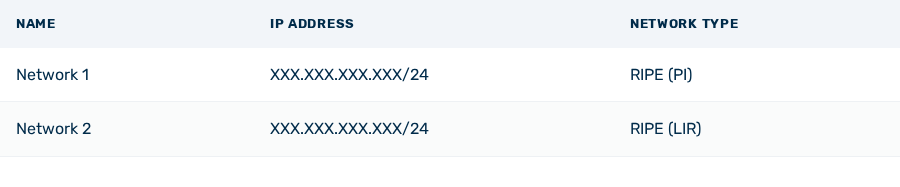 YAML - Networks |
Below you will find a table showing the assignment of all values in the YAML file and on the graphical user interface:
Comparison of the fields in the Myra DataHub UI with the YAML file
| Myra DataHub UI | YAML | Description |
|---|---|---|
| Company | ||
| Name | Custname |
Customer name |
| Customer ID | Name der YAML-Datei |
Customer's unique ID |
| User management | ||
| Email Address | Portal: email |
Email address of the first admin account. ℹ️ Note: When adding a new company via the YAML file, only one user with admin rights is created. Additional accounts can only be added via the graphical user interface. |
| Name | portal: lastname |
Name of the first admin account. |
| Name | portal: forename |
First name of the first admin account. |
portal: enabled |
Only in YAML: Defines whether an admin account is created for the new company. The following values are available:
|
|
| Networks | ||
| Name | extra: CUSTNETNAME |
The name of the network. |
| IP | CIDR |
The IP address of the network. |
| Packet Rate Threshold (Packets/s) | pps_limit |
The threshold value for the maximum number of packets allowed per second. |
| Dienst-ID | extra: DIENST-ID |
A Versatel-specific value. |
| CHANNEL | extra: CHANNEL |
A Versatel-specific value. |
| Network type | nettype |
The network type for the corresponding network. The following values are available:
|
| Network Reference | extra: INTERNET-SERVICEKENNUNG |
Contains the unique L-number for the Internet line through which customers are connected to Versatel. |
| Bandwidth Threshold (MBit/s) | bw_limit |
The threshold value for the maximum possible bandwidth. |
| Duration to Maintain Mitigation (in Sec) | duration |
The duration of mitigation in seconds after traffic has fallen below the thresholds. |
| Debitor | extra: DEBITOR |
A Versatel-specific value. |
| Details | extra: DETAILS |
A custom comment on the description of the network. |
| Mitigation type | type |
Defining how mitigation will be carried out. The following values are available:
|
| Mitigation Strategy | Wholenet: enabled | Defines whether only a single IP address or the entire network is automatically mitigated. The following values are available:
|
| Notification email address | The email address of the user to whom mitigation notifications are sent. | |
| Auto Actions | enabled | Indicates whether automatic mitigation is performed for the selected network or not. The following values are available:
|